


Enhance Gaming on Gamedungeon.se – how to maximize your gaming experience
Does your current gaming setup feel sluggish, uncomfortable, or simply "okay but not wow"? Then it's time to discover how Enhance Gaming and the Swedish gaming hub Gamedungeon.se can elevate everything from precision and comfort to the feel of every match. With the right gaming mouse, keyboard, mouse pad, audio, and lighting, you can go from mediocre to truly sharp – whether you're a casual player, streamer, or aiming for e-sport level.
In this guide, we'll go step-by-step through how to build a smart, affordable, and well-thought-out setup with products from Enhance Gaming via Gamedungeon.se. You'll get concrete tips, comparisons, buying guides, and examples for different types of gamers, so you avoid bad purchases and instead focus on what matters most: better performance, higher comfort, and more gaming fun every time you start your computer.
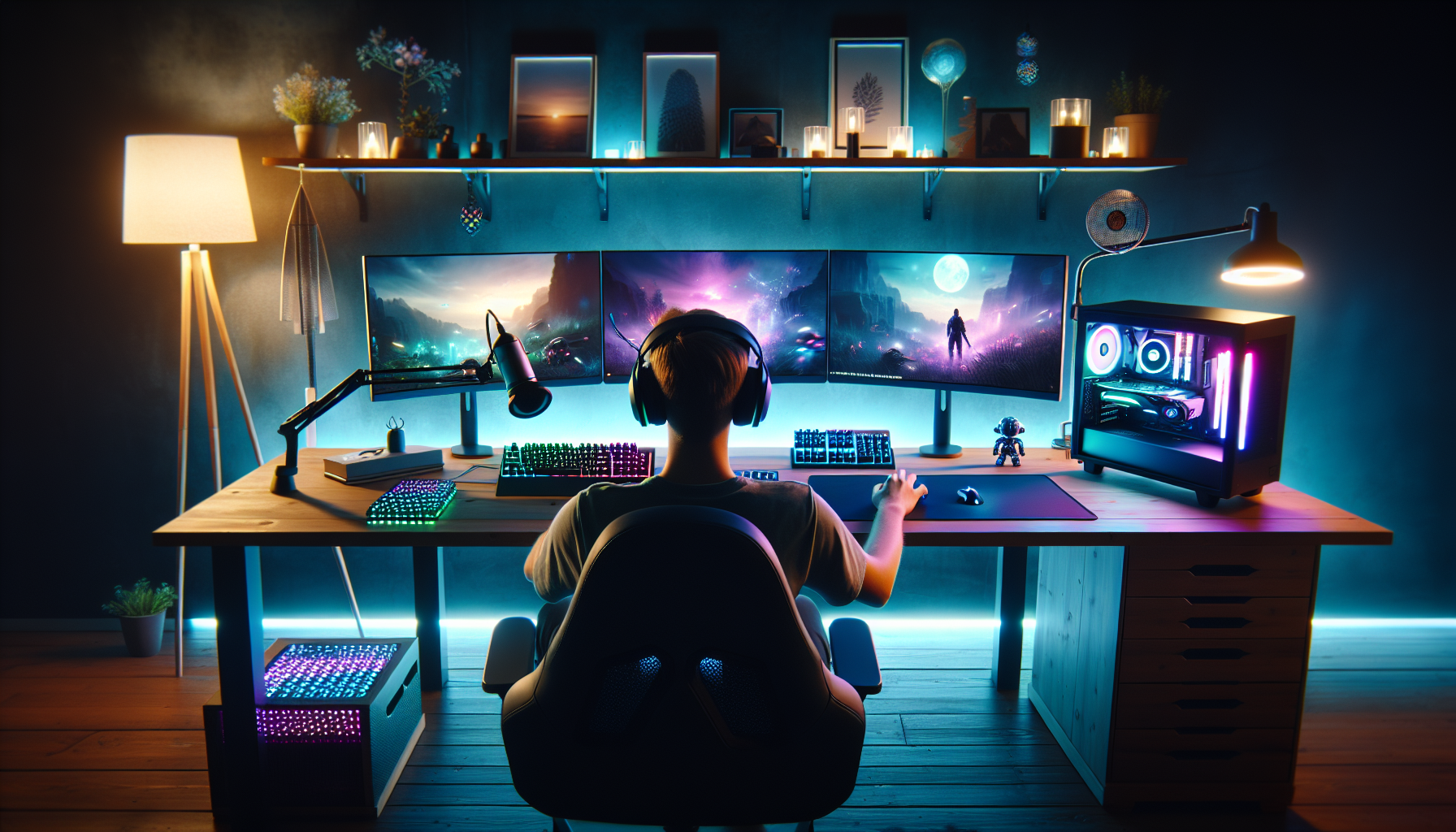
Enhance Gaming has quickly become a well-known name among gamers who want to take their setup a step further without breaking the bank. The brand focuses on affordable, functional gaming accessories that genuinely make a difference in everyday gaming – from mice and keyboards to headsets, RGB lighting, and smart cable management. Where many generic products only focus on blinking lights, Enhance Gaming places equal importance on comfort, durability, and thoughtful design.
Why Gamedungeon.se for Enhance Gaming in Sweden?
Gamedungeon.se has positioned itself as a specialized Swedish store for gaming equipment, with a product range tailored for Nordic players:
-
Fast deliveries within Sweden: Short delivery times make it easy to upgrade before a weekend LAN or ranked grind.
-
Swedish support: Easy to get help via email or chat when you're unsure which model suits your playstyle.
-
Sorted categories and clear filters: Easy to find the right Enhance Gaming products by price, function, and game type.
-
Product range adapted for Swedish homes: Focus on products that work in smaller spaces, student rooms, and compact setups.
Here, Gamedungeon.se differs from more general e-retailers: you avoid sifting through irrelevant office products and can instead directly compare different gaming options with relevant specifications and images.
How Enhance Gaming solves common problems in your setup
Many Swedish gamers recognize the same irritations: an uncomfortable mouse pad that chafes against the wrist, a cheap headset that leaks sound, or a messy tangle of cables that snags your mouse arm in the middle of a clutch. Here are some concrete examples of how Enhance Gaming addresses this:
-
Larger mouse pads that provide an even surface across the entire desk and better control in FPS games.
-
Headsets focused on comfort and clear microphone so you hear footsteps clearly and sound good on Discord.
-
Cable holders, headset stands, and organization accessories that keep the desk clean and increase freedom of movement.
By combining a well-thought-out range from Enhance Gaming with Gamedungeon.se's local expertise and support, you get a complete solution that makes it easier to upgrade step-by-step – without getting lost in a sea of mediocre accessories. It is precisely this combination that makes Gamedungeon.se a smart first choice for Swedish gamers who want to maximize their setup.
Optimize your setup – gaming mice, keyboards, and mouse pads from Enhance Gaming
A well-tuned gaming setup doesn't start with the graphics card, but with what you actually touch every second: the mouse, keyboard, and mouse pad. Here, Enhance Gaming clearly distinguishes itself from generic office products by focusing on precision, responsiveness, and comfort – factors that top-ranked guides constantly highlight as crucial for better aim, faster reactions, and less fatigue.
The core trio: mouse, keyboard, and mouse pad
-
Gaming mice: Adjustable DPI (preferably in steps), well-designed ergonomics for claw, fingertip, or palm grip, and dedicated thumb buttons for FPS, MOBA, or MMO. A lighter mouse (60–80 g) is often recommended for fast FPS games, while heavier models can feel more stable in strategy and MMO titles.
-
Keyboards: Enhance Gaming offers both membrane and mechanical variants with anti-ghosting, N-key rollover, and programmable macros. Mechanical switches provide clearer feedback, which makes a difference in intense ranked matches. RGB isn't just "bling" – the right lighting makes it easier to find the right keys in the dark.
-
Mouse pads: Large mouse pads (XL) with low friction are a favorite among e-sports players who use low DPI. Control-oriented surfaces provide more precision in tactical games, while fast glide surfaces suit fast FPS titles.
An FPS player in CS2, for example, can combine a light Enhance Gaming mouse, low DPI (400–800), large pad, and mechanical keyboard for maximum precision, while an MMO player benefits more from many side buttons and powerful macro functions.
How to choose the right models on Gamedungeon.se
When browsing Enhance Gaming on Gamedungeon.se, use the following checklist before purchasing:
-
Hand size and grip style: Check the dimensions and weight of the mouse against your hand – many product descriptions indicate recommended hand size.
-
Game type: FPS, MOBA, MMO, or all-round? Choose the number of buttons, DPI range, and switch type according to what you play most.
-
Surface and space: Measure your desk before choosing a mouse pad (small, large, XL). A common mistake is buying too small a pad for low DPI.
-
Build quality: Look for reinforced cables, durable surface on mouse pads, and robust switches (e.g., specified in millions of clicks).
-
Features you actually use: Macros, dedicated media keys, and RGB zones are valuable – but only if you use them daily.
By matching your actual needs with the product information on Gamedungeon.se, you avoid bad purchases and get a balanced setup where every component works for your performance, not against it. Here, you'll win more rounds both in the game – and for your wallet.
Deepen the gaming experience with the right headset and audio solutions
Audio is often the most underestimated part of a gaming setup, despite being absolutely crucial for both reaction time, game feel, and team communication. With the right headset from Enhance Gaming, purchased via Gamedungeon.se, you can hear enemy footsteps more clearly in CS2, experience more immersion in large RPG titles, and have your voice come through crystal clear in Discord without static and echo.
Why audio quality makes you a better gamer
-
Positional audio in FPS: A good gaming headset reproduces direction and distance, allowing you to determine if the opponent is above, behind, or around the corner.
-
Immersion in single-player: Deeper bass and clearer detailed sounds make music, dialogue, and effects in games like Elden Ring or Cyberpunk 2077 feel significantly more alive.
-
Clear microphone for team play: Noise-canceling microphones from Enhance Gaming ensure your callouts are heard clearly, even if your keyboard is close or you're playing late at night.
Many top-ranked guides mention surround sound, but often fail to explain when it's actually worth it. For competitive FPS players, well-calibrated stereo often works just as well, while virtual surround shines mainly in cinematic games. Here, you can choose based on your playstyle instead of just chasing the most "channels" in the specifications.
How to optimize your Enhance Gaming headset on PC and console
Once you've chosen a headset via Gamedungeon.se, the next step is to fine-tune the settings:
-
On PC (Windows): Turn off unnecessary "sound enhancements," use the manufacturer's software or Windows' built-in EQ to boost footsteps (mid-range) and dampen excessive bass that can mask important details.
-
On console: Activate game audio profiles in the sound menu (e.g., "FPS mode") and ensure chat and game audio are balanced so you hear both teammates and the game clearly.
-
Quick home test: Run an audio test on YouTube with "footstep test" or "surround sound test" and adjust volume levels until you can pinpoint direction without looking at the screen.
By spending a few minutes on calibration, you'll get significantly more out of your Enhance Gaming headset than most people do – and it will be immediately noticeable both in your K/D statistics and in how much more enjoyable your gaming nights become.
RGB, lighting, and atmosphere – create your perfect gaming corner
The right RGB lighting isn't just about "flashy colors" – it actually affects your focus, reaction time, and how long you can play. A well-designed lighting setup around your computer, screen, and peripherals can make as much difference to the gaming experience as a new graphics card. With Enhance Gaming and the range on Gamedungeon.se, it also becomes easy to build a cohesive setup where keyboard, mouse pad, lighting strips, and accessories are visually integrated.
How to build a harmonious RGB environment with Enhance Gaming
-
Start with a color theme: Choose 1–2 base colors (e.g., blue/purple for a calm fantasy feel or red/yellow for a more aggressive FPS look) and let these guide the entire setup.
-
Match equipment: Combine RGB keyboards, mice, and RGB mouse pads from Enhance Gaming so that effects and colors don't clash visually.
-
Use lighting strips smartly: Place LED strips behind the screen, shelves, or desk edge for indirect light that doesn't shine directly into your eyes.<
-
Adjust mode according to activity: Have a "focus mode" with subdued, static colors for ranked matches and a more vibrant, animated mode for casual games and movies.
By thinking in zones – desk, background, shelves – you avoid the messy "RGB circus" that many top articles warn against. Enhance Gaming products make it easy to create these zones, as several accessories are designed to complement each other visually.
Examples of setups and how to avoid eye strain
A minimalist RGB setup can consist of a black Enhance Gaming keyboard with white or faint blue backlighting, a discreet RGB mouse pad in "breathing mode," and a single LED strip behind the screen. Perfect for those who want a gaming feel without the room glowing like a nightclub.
For streamers, a more expressive solution often works better: stronger colors in the background, clear light zones behind shelves and walls, and more dynamic effects on the keyboard and mouse pad that are visible on camera. Here, Enhance Gaming's RGB accessories on Gamedungeon.se offer great visual value for money.
To avoid eye strain, keep the brightness around 50–70%, avoid cool white max brightness late at night, and opt for indirect light rather than lights directed at your face. This way, you get a stylish, atmospheric gaming corner that both looks professional in photos and feels comfortable to play in for long sessions.
Ergonomics and comfort – sustainable gaming without pain
Long gaming sessions in front of the computer or console are harder on the body than many realize. That's why more and more professional gamers and health guides emphasize ergonomics as being as important as FPS and ping. With the right support for wrists, arms, back, and neck, you can play longer, perform better – and avoid pain after each session. Here, products from Enhance Gaming on Gamedungeon.se can make an unexpectedly big difference to your daily life.
How to build an ergonomic gaming base
Start with the parts of the setup that your body has the most contact with:
-
Wrist rests and larger mouse pads: Relieve wrists, reduce static load, and provide smoother movements over a soft surface.
-
Stands and holders: Monitor stands and headset stands help you get the right screen height and keep your desk clear, which allows for better arm position.
-
Smart placement of keyboard and mouse: Shorter distance to the body and the correct angle reduce shoulder and neck tension.
Think "before/after": before – bent neck, elbows in the air, mouse far out on the edge; after – screen at eye level, forearms resting on the desk surface, and a large mousepad from Enhance Gaming that allows you to lower DPI without your arm locking up. Small adjustments, but a big effect on both precision and fatigue.
Quick ergonomics checklist and micro-breaks
To make it simple, you can use this 5-minute routine before a longer session:
-
Chair: Adjust the height so your feet are flat on the floor and your knees are at about 90°.
-
Desk and screen: Forearms should be able to rest on the desk, the top of the screen at or just below eye level.
-
Keyboard & mouse: Place them directly in front of you, close to your body, preferably on an extended mouse pad with a built-in wrist rest.
-
Micro-breaks: Every 30–40 minutes – stand up, roll your shoulders, stretch your wrists and forearms for 30–60 seconds.
Many guides mention ergonomics, but few connect it to specific gaming accessories. By combining simple body habits with well-designed products from Enhance Gaming on Gamedungeon.se, you get a setup that not only looks good – it also helps you stay injury-free and eager to play year after year.
Cable management and order – professional gaming environment at home
One of the biggest differences between an "okay" setup and a truly professional gaming environment isn't the number of monitors or the amount of RGB – it's how well you manage cables and gear. Messy wires steal focus, make cleaning harder, and can even affect your performance in fast-paced games. With the right solutions from Enhance Gaming via Gamedungeon.se, you can create a desk that both looks better and functions better in practice.
Why cable management affects both game feel and performance
A well-thought-out cable structure isn't just about aesthetics, but also about control and freedom of movement:
-
Cable holders and mouse bungees: Reduce resistance and "drag" in the cable, which is especially important in FPS games like CS2 and Valorant.
-
Headset stands and docks: Provide a dedicated place for headsets, controllers, and accessories so nothing clutters the mouse surface.
-
Cable sleeves, clips, and channels: Gather cables along the back edge of the desk or along the wall for a cleaner look and easier cleaning.
Several top-ranked guides mention cable management in passing, but few show how much it actually affects the feel of the game. If your mouse cable snags on the desk edge when you're trying to flick to a headshot in the last round, it can literally cost you the match – something a simple cable holder from Enhance Gaming can eliminate.
Step-by-step: from cable chaos to a clean setup in 30 minutes
Start with a quick but structured process:
-
1. Clear the surface: Remove the keyboard, mouse, headset, and place everything on the bed or floor.
-
2. Identify the main cables: Monitor(s), computer, power, network – decide where they should go (preferably behind the desk).
-
3. Gather and fasten: Use cable sleeves, cable ties, and adhesive clips from Enhance Gaming to bundle cables and attach them along edges.
-
4. Create a "docking zone": Determine a place for charging your phone, controllers, and headset, preferably with a USB dock or hub.
-
5. Fine-tune for gaming: Ensure the mouse and headset cables have full freedom of movement, preferably with a dedicated bungee or cable holder.
In small spaces like student rooms, wall-mounted cable channels and compact headset stands make a big difference. On Gamedungeon.se, you can filter for accessories from Enhance Gaming and prioritize products that offer the greatest visual improvement per krona – start with cable holders, cable sleeves, and a stable headset stand, and build from there.
How to choose the right Enhance Gaming products on Gamedungeon.se – buying guide and recommendations
Stepping onto Gamedungeon.se and looking at all the products from Enhance Gaming can feel a bit like entering a loot room after a boss fight – many things look good, but what should you actually pick up first? In this section, we break down how to make smart, long-term choices so that every upgrade truly elevates your setup, whether you're a beginner, e-sports player, or streamer.
How to navigate smartly on Gamedungeon.se
Use the store's features systematically instead of just "scrolling around":
-
Start in the right category: For example, choose mouse, keyboard, headset, or cable management depending on your biggest bottleneck right now.
-
Filter by budget and needs: Use price filters and sort by popularity/reviews to quickly find proven Enhance Gaming models.
-
Read specifications correctly: Focus on DPI, polling rate, switches, size, material, and weight – not just RGB and marketing phrases.
-
Utilize reviews: Look for comments on long-term comfort, build quality, and how the product performs in specific games (CS2, Valorant, LoL, MMO, etc.).
Also consider shipping options and any bundle offers. Often, you can get a mouse + mouse pad + headset at a better package price than buying everything separately, which top-ranked guides rarely explain clearly.
Smart purchasing strategy and pre-made setup suggestions
Build your setup in stages instead of blowing your entire budget at once:
-
Basic level (beginner/casual): Start with a reliable gaming mouse, a solid mouse pad, and a headset. This immediately provides better precision, control, and communication.
-
Mid-level (focused gamer/esports): Upgrade to a lightweight mouse with high polling rate, a mechanical keyboard, and an XL mouse pad. Add a wrist rest for durability.
-
Premium (streamer/creator): Focus on RGB sync, clean cable management, a headset with a good mic, and visually appealing accessories like a headset stand and lighting strips.
Avoid common mistakes like spending your entire budget on bling: RGB is great – but ergonomics and performance should always come first. When comparing two Enhance Gaming products, always prioritize specifications that affect gameplay (responsiveness, comfort, size) over cosmetic features. Feel free to finish each visit to Gamedungeon.se by saving your favorites – that way, you can plan future upgrades as your budget allows and build your perfect gaming corner step by step.
Frequently asked questions about Enhance Gaming and Gamedungeon.se
Q: Are Enhance Gaming products only for "hardcore" gamers or are they also suitable for casual players?
A: Enhance Gaming is developed with a focus on gamers, but many products are also perfect for those who mostly play in the evenings or on weekends. The difference compared to "office gear" is better comfort, more precise tracking, and well-thought-out design – something everyone benefits from, regardless of their level. On Gamedungeon.se, you can filter by price and features, so you can start with an affordable mouse pad or mouse and then build upon it if your interest grows.
Q: How much difference do a mouse, keyboard, and headset actually make to my performance?
A: Surprisingly much. A precise mouse with the right DPI and shape makes fine adjustments in games like CS2 and Valorant easier. A keyboard with good switches and anti-ghosting reduces missed inputs in intense battles. A gaming headset with clear positional audio helps you hear footsteps, reloads, and abilities. Together, this provides both better results and less fatigue, especially during longer sessions.
Q: How do I know which Enhance Gaming accessory to upgrade first?
A: Start by identifying your "bottleneck":
-
If you often miss shots: start with a mouse + mouse pad.
-
If you have difficulty communicating: prioritize headset and microphone quality.
-
If you experience wrist/neck pain: invest in ergonomics – wrist rest, larger mouse pad, and better monitor/chair position.
A good first step for most is a bundle with a mouse, mouse pad, and headset, which Gamedungeon.se often offers in bundle deals.
Q: Is RGB lighting just "cosplay" or does it actually affect my gaming?
A: RGB does more than just look good. The right lighting can:
-
Reduce eye strain if you use soft colors and appropriate brightness behind the screen.
-
Aid focus by setting a "competition mode" with a certain color when you play ranked.
-
Facilitate streaming as a well-thought-out background looks more professional on webcam.
Enhance Gaming's RGB mats and lighting strips give you all of this without requiring advanced configuration.
Q: What distinguishes Gamedungeon.se from international stores when buying Enhance Gaming?
A: For Swedish gamers, Gamedungeon.se is particularly interesting because you get support in Swedish, fast domestic delivery, and a product range adapted to Nordic needs (e.g., larger desks, darker rooms, popular Nordic titles). In addition, product descriptions, specifications, and size guides are adapted for Swedish customers, making it easier to choose correctly the first time.
Q: How do I get started right away if I want to improve my setup today?
A: Do this step by step:
-
Take a picture of your current setup and mark what bothers you most (cables, uncomfortable mouse, sound, light).
-
Visit Gamedungeon.se and go to the Enhance Gaming category.
-
Prioritize 1–2 problems (e.g., precision + comfort) and choose products according to the guide in the article.
-
Read the product description carefully: dimensions, weight, material, connectivity.
-
Order, test, and fine-tune settings (DPI, sound profile, RGB) during a week of gaming.
This way, you improve your gaming environment gradually, without breaking the bank or buying the wrong gear.
Build your ultimate gaming setup – step by step with Enhance Gaming and Gamedungeon.se
You have now gone through the entire journey from basic peripherals to details like sound, RGB, ergonomics, and cable management – all with a focus on Enhance Gaming and how you can easily find the right products via Gamedungeon.se. Together, they show that a well-thought-out setup is not just about stylish design, but about better precision, higher comfort, clearer communication, and a more immersive gaming experience, whether you are a casual player, streamer, or aspiring esports professional.
The next step is to put this knowledge into practice. Start by analyzing your current setup: what limits you the most – the mouse, the sound, the ergonomics, or the clutter on your desk? Then choose 1–2 areas to upgrade first and use this guide as a checklist when filtering and comparing products on Gamedungeon.se. Save your favorites, take advantage of bundles and promotions, and build your optimal gaming environment step by step. The more thoughtful your equipment, the more you can focus on what truly matters: enjoying games and performing at your highest level.